
Download Summarify – AI Video Summarization Tool for iOS
What is Summarify? An In‑Depth Overview
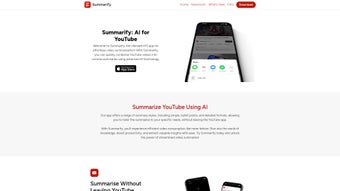
Summarify is a cutting‑edge iOS application that transforms the way you consume YouTube content. Powered by OpenAI’s ChatGPT, the app analyzes a video’s audio, subtitles, and visual cues to generate concise, coherent summaries in seconds. Whether you need a quick 30‑second snapshot or a detailed 5‑minute breakdown, Summarify lets you pick the summary style that matches your schedule.
Each generated summary is timestamped, allowing you to jump directly to the relevant segment of the original video with a single tap. This feature eliminates endless scrolling and searching, making research, learning, and entertainment far more efficient. Beyond standard summarization, Summarify offers a custom segment creator, enabling you to select exact moments of interest and receive a focused write‑up.
A built‑in search function scans the video for keywords, surfacing key moments without watching the entire clip. The app also tracks the total time you’ve saved, presenting a real‑time “Time Savings Tracker” that quantifies the productivity boost. Export options include PDF, Markdown, and plain‑text files, while transcripts can be downloaded in multiple formats for offline reference.
Designed exclusively for iOS, Summarify integrates seamlessly with the Apple ecosystem, supporting Apple ID sign‑in, iCloud sync, and native sharing extensions. In short, Summarify is not just a summarizer; it’s a productivity companion that turns long‑form video content into bite‑size knowledge nuggets, all while safeguarding accuracy and readability through advanced AI.
Core Features That Set Summarify Apart
- AI‑Driven Summaries: Utilizes OpenAI’s ChatGPT to generate natural‑language summaries that retain context and nuance.
- Multiple Summary Lengths: Choose from brief overviews, medium‑sized digests, or comprehensive breakdowns.
- Timestamped Navigation: Every sentence is linked to the exact moment in the video, enabling one‑click jumps.
- Custom Segment Builder: Manually select start‑ and end‑times to receive a focused summary of a specific portion.
- Keyword Search Inside Videos: Type a word or phrase and instantly locate the segment where it appears.
- Time Savings Tracker: Real‑time visualization of minutes saved by using Summarify instead of watching full videos.
- Export Flexibility: Save summaries as PDF, Markdown, or plain‑text; download full transcripts in SRT, VTT, or TXT.
- iOS‑Native Experience: Optimized for iPhone and iPad, with support for dark mode, widgets, and Siri shortcuts.
- Secure Cloud Sync: Optional iCloud backup ensures your summaries are accessible across all your Apple devices.
- Regular Updates: Frequent AI model improvements and UI refinements keep the app current with the latest YouTube changes.
Installation, Setup, and Compatibility Guide
Getting started with Summarify is straightforward. Open the App Store on your iPhone or iPad, search for “Summarify”, and tap the Get button. The download size is under 150 MB, and the app requires iOS 14.0 or later. After installation, launch the app and sign in with your Apple ID; this enables iCloud sync for your summaries. The first‑time setup wizard walks you through granting permission to access YouTube links, which can be done via the share sheet in the YouTube app or by pasting a URL directly into Summarify’s main screen.
Once inside, you’ll see a clean interface with a search bar at the top. Paste any YouTube URL, select your desired summary style (Brief, Standard, Detailed), and tap Summarize. The AI begins processing—most videos under ten minutes are summarized in under 30 seconds.
When the summary appears, each line is accompanied by a clickable timestamp; tapping it opens the YouTube player at the exact moment. For custom segments, use the “+” icon to mark start and end points, then generate a targeted summary. Export options are accessible via the share icon, letting you choose PDF, Markdown, or plain‑text, and you can also download the full transcript in SRT, VTT, or TXT formats.
Compatibility: Summarify is built exclusively for iOS devices (iPhone, iPad, and iPod touch). It leverages Apple’s native frameworks for performance and security, ensuring smooth operation on devices with at least 2 GB RAM. The app does not currently support Android or macOS, though a web‑based version is planned for future releases.
Pros, Cons, Frequently Asked Questions, and Final Verdict
Pros
- Lightning‑fast AI summaries that retain key details.
- Timestamped output for instant navigation.
- Custom segment creation for targeted learning.
- Comprehensive export formats and transcript downloads.
- Time Savings Tracker provides measurable productivity gains.
- Seamless iOS integration with iCloud sync and Siri shortcuts.
- Regular updates keep the app compatible with YouTube changes.
Cons
- Available only on iOS; Android users must wait for future versions.
- Free tier limits the number of daily summaries (upgrade required for unlimited use).
- Accuracy depends on the quality of the video’s subtitles; poorly captioned videos may produce less precise summaries.
- No built‑in video downloader—Summarify works with online YouTube links only.
Frequently Asked Questions
Can I use Summarify without an internet connection?
No. Summarify relies on cloud‑based AI processing, so an active internet connection is required for generating summaries and downloading transcripts.
How does Summarify protect my privacy?
All video URLs are sent securely over HTTPS to OpenAI’s servers solely for analysis. Summaries are stored locally on your device unless you enable iCloud sync, which encrypts data end‑to‑end.
Is there a free version?
Yes. The free tier allows up to three summaries per day with standard length. For unlimited access and premium export options, a subscription is available.
Can I summarize videos longer than one hour?
Longer videos are supported, but processing time may increase. Premium users receive priority queuing, reducing wait times for hour‑long content.
What export formats are available?
Summaries can be exported as PDF, Markdown, or plain‑text. Full transcripts are downloadable in SRT, VTT, and TXT formats.
Conclusion & Call to Action
Summarify delivers a powerful blend of AI accuracy, user‑friendly design, and productivity‑focused features that make it a standout tool for anyone who spends time on YouTube. By turning lengthy videos into searchable, timestamped summaries, it not only saves minutes but also helps you retain information more effectively. While the iOS‑only restriction limits its reach, the app’s seamless integration with Apple devices, robust export options, and transparent pricing make it a worthwhile investment for students, professionals, and casual viewers alike. Ready to reclaim the hours you spend scrolling through video content? Download Summarify today from the App Store, start summarizing your favorite YouTube channels, and watch your productivity soar.



.png)



